
Four tools to liven up your community. Polls and giveaways are started with a command and set up in a website form; the suggestion box and the counting game only need a channel, picked on the dashboard's Channels page.
Overview
| Tool | How to start it | What members do |
|---|---|---|
| Poll | !poll (everyone) | Vote with 1️⃣ 2️⃣ 3️⃣ 4️⃣ |
| Giveaway | !giveaway (administrators) | Enter with 🎉 |
| Suggestions | A suggestion channel | Write their idea, upvote with 👍 |
| Counting | A counting channel | Count 1, 2, 3… taking turns |
Polls
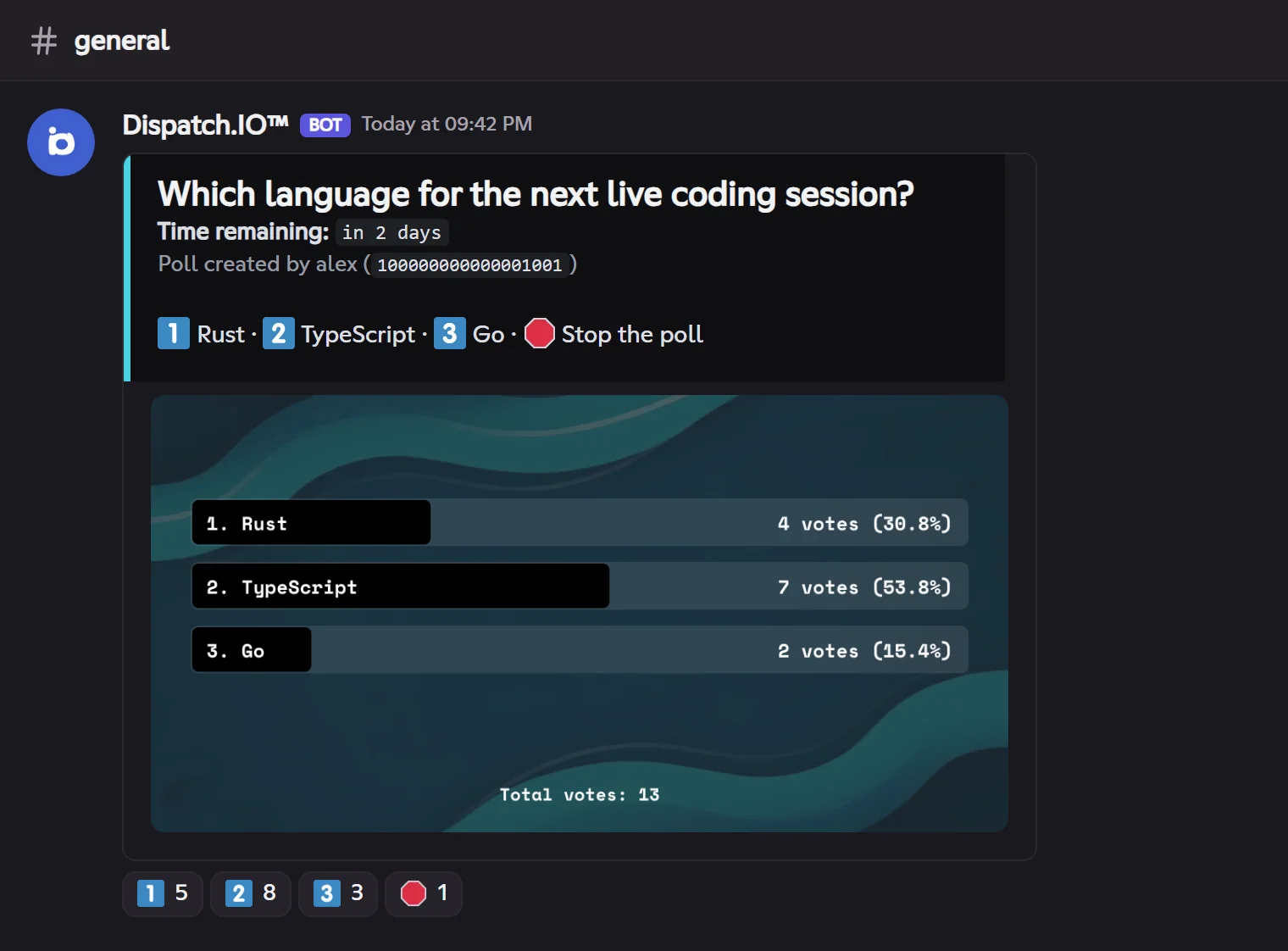
!poll [question]: the bot DMs you the link to a form (question, 2 to 4 options, duration).- The poll is posted with a results picture (the same as on Discord) and one reaction per option, plus 🛑.
- One vote per member: clicking another option moves your vote, removing your reaction removes it. The picture updates after the votes.
- 🛑 stops the poll (its author or an administrator). Otherwise it ends on its own at the end of its duration, even after a bot restart.
Giveaways
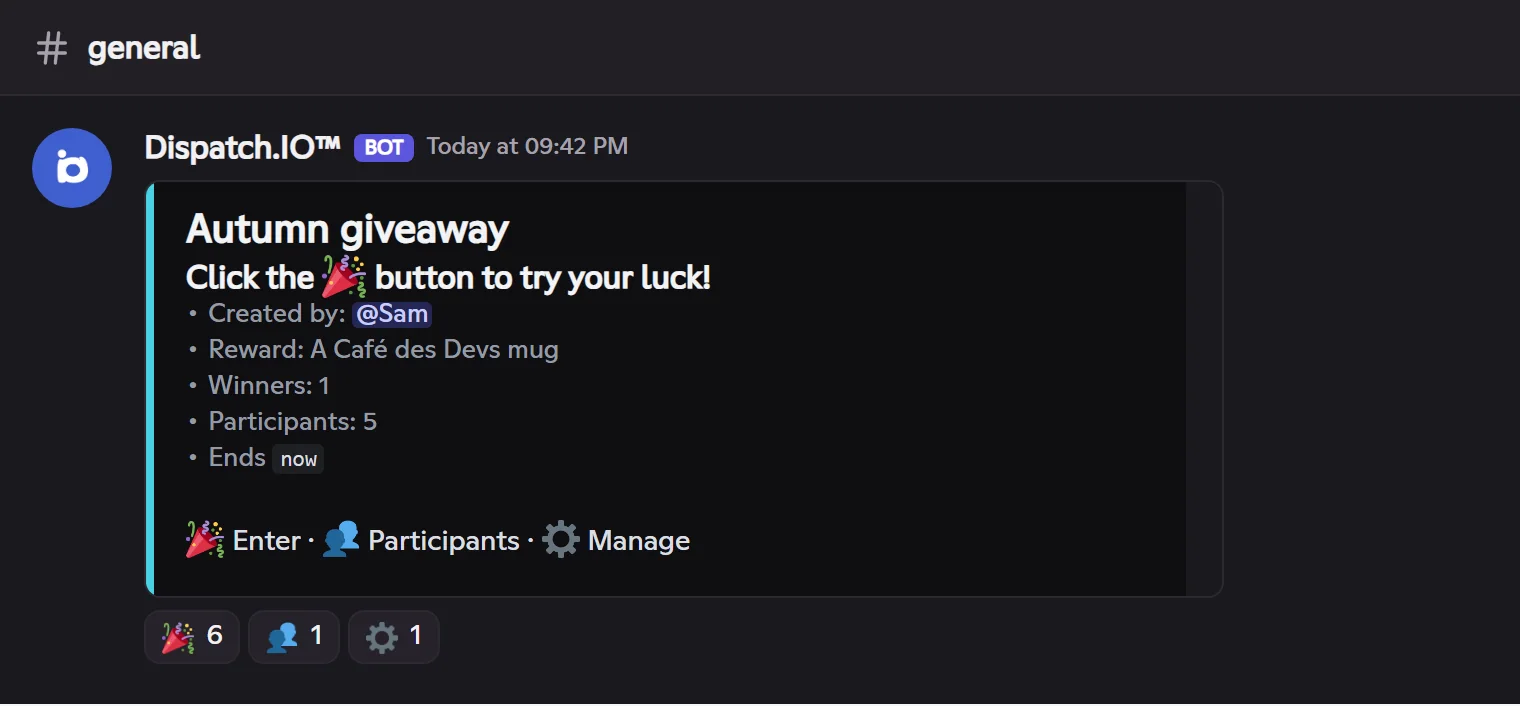
!giveaway [title](administrators): website form with the title, the duration (up to 31 days), the number of winners (1 to 50), the reward (role, XP or text), the channel, the allowed roles and an image.- The giveaway is posted with 🎉 Enter, 👥 Participants and ⚙️ Manage.
- Members enter with 🎉 (removing the reaction = leaving). If allowed roles are set, only their members can enter.
- ⚙️ sends administrators, by direct message, the management panel: 🏁 end now, ⏹️ stop without a winner, 🔁 reroll.
- At the end, the bot draws the winners, congratulates them under the giveaway, DMs them and gives them the reward (role, or XP if levels are on).
The fields are detailed in Community.
Suggestion box
Pick a suggestion channel on the Channels page. Then:
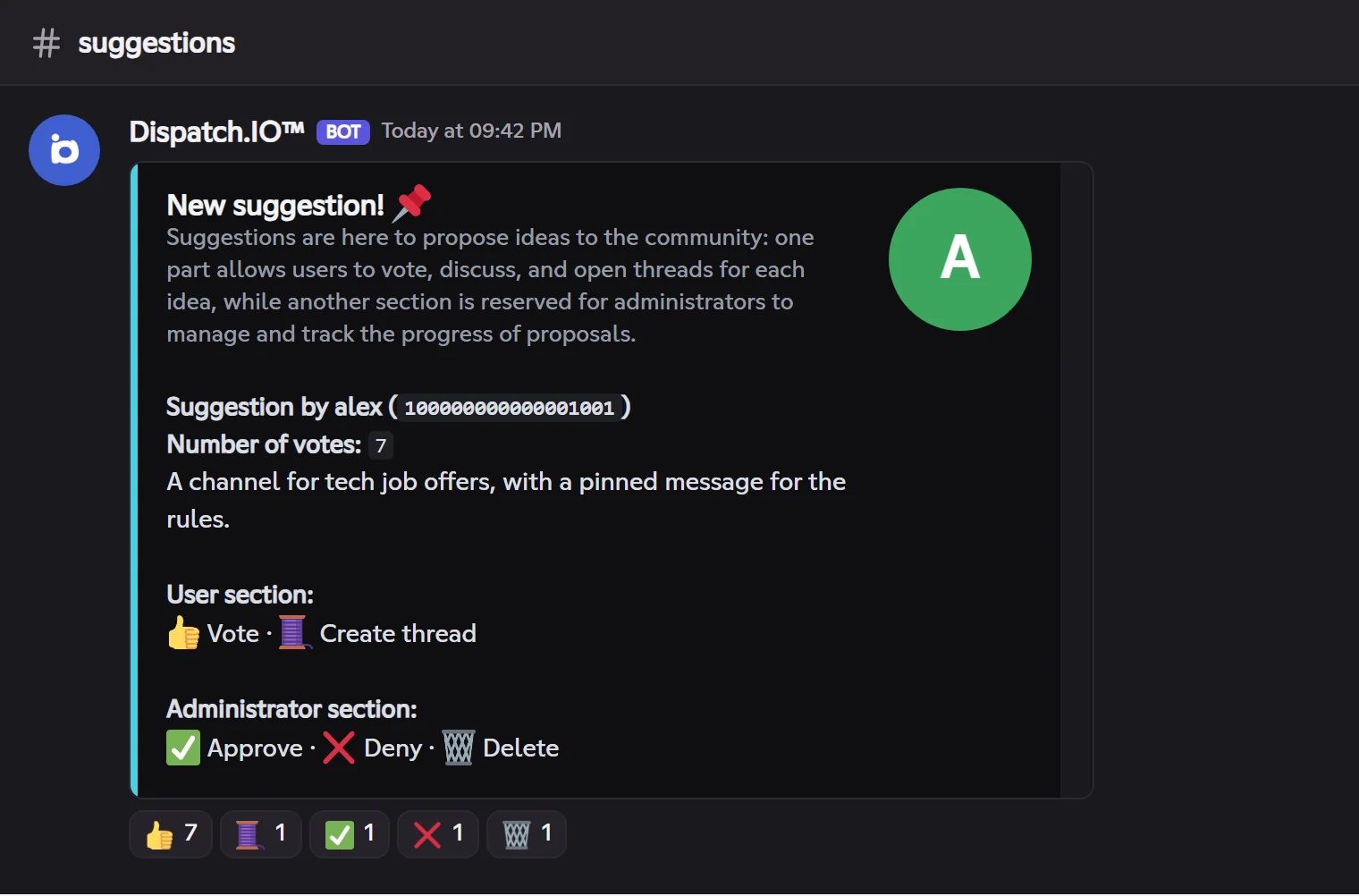
- A member writes their idea in the channel (5 to 2000 characters, no mention). The bot deletes their message and posts the suggestion card instead: the author, the text, the attached images, the votes.
- Under the card, the legend and the reactions:
| Reaction | Who | Effect |
|---|---|---|
| 👍 Vote | Everyone | Adds your vote; remove your reaction to remove your vote. |
| 🧵 Thread | Everyone | Creates a discussion thread on the suggestion. |
| ✅ Approve | Administrators | Opens a website form for the answer, then marks the suggestion approved. |
| ❌ Deny | Administrators | Same, for a denial. |
| 🗑️ Delete | Administrators | Deletes the suggestion. |
Threads on Fluxer
Threads are still in beta on Fluxer: if the community can't create them, 🧵 replies that the thread couldn't be created.
Each suggestion is logged in the Server logs channel (Suggestion log).
Counting game
Pick a counting channel on the Channels page. Members count there together, taking turns:
- the first number is 1, then each message must be the next number;
- a member can't count twice in a row;
- only numbers are accepted.
A right number gets the ✅ reaction. A mistake (wrong number, twice in a row, text) is flagged by the bot; after a wrong number, the bot restarts at 1 itself. Bots don't count.
When something goes wrong
| Problem | Likely cause and fix |
|---|---|
| I didn't get the poll or giveaway form | Your DMs are closed: the link was posted 15 seconds in the channel. Open your DMs and run the command again. |
| My suggestion disappeared without a card | Fewer than 5 characters, more than 2000, or a mention: the bot explains it for 5 seconds. |
| Counting doesn't react | No counting channel picked, or the bot lacks Add reactions in that channel. |
| A winner didn't get their role | Role above the bot's role, or Manage roles missing. |