
The Aviation pack adds three commands for flight simulation communities: UTC (Zulu) time, an airport's METAR and IVAO radio frequencies. It is off by default: turn it on on the dashboard's Other commands page. While it is off, these commands reply that the pack must be turned on first.
| Command | What it is for |
|---|---|
!zulu | UTC (Zulu) time |
!metar | An airport's aviation weather |
!frequencies | An airport's IVAO radio frequencies |
UTC time
!zuluShows the current UTC time in aviation format (1542Z), with the date.
Syntax
!zuluMember permission
None
Where to use it
Community only (Aviation pack on)
Rate limit
3 uses every 20 s
Plan
Free
Examples
!zulu
An airport's METAR
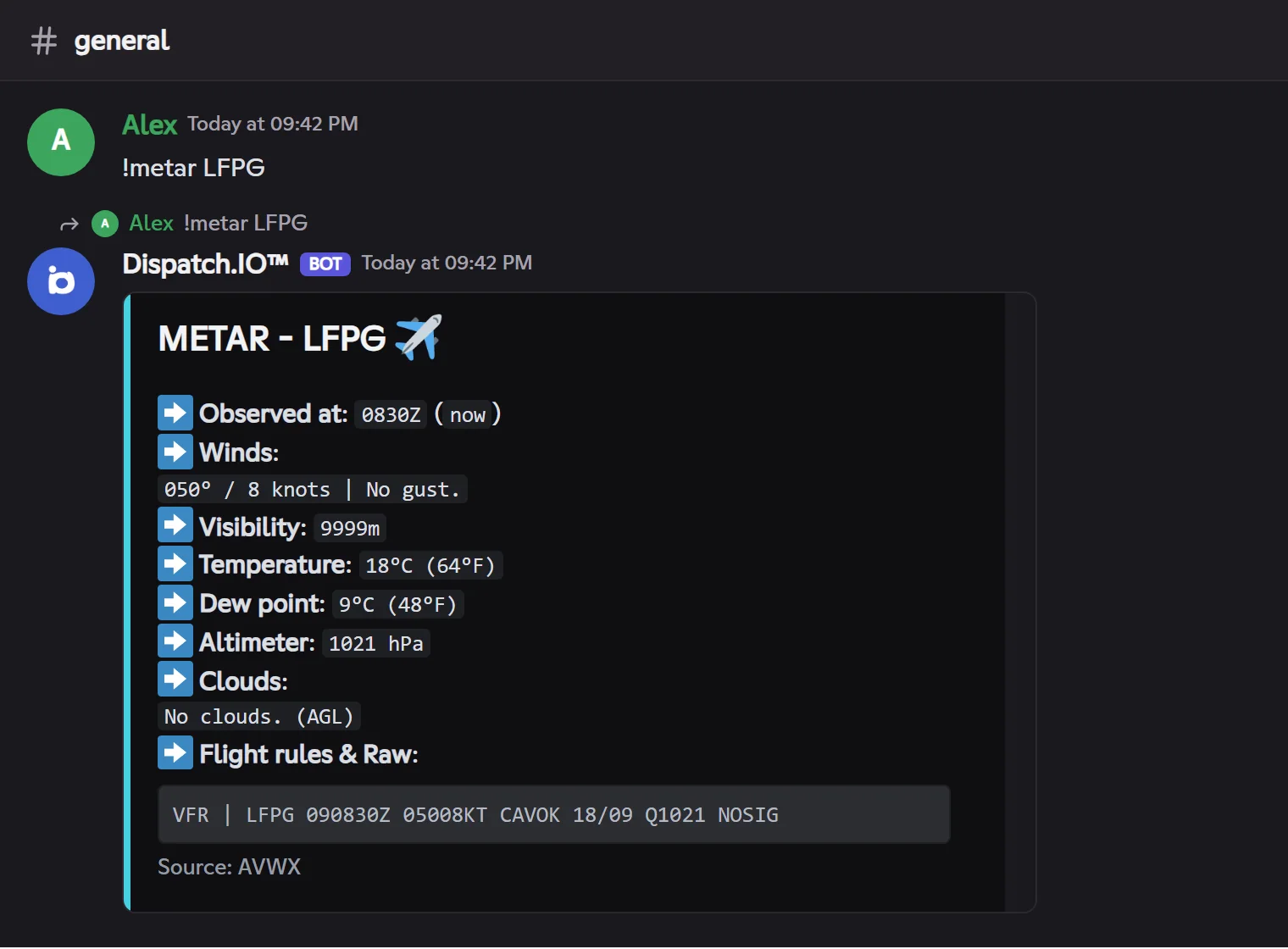
!metarShows an airport's latest METAR, decoded: observation time, wind and gusts, visibility, temperature, dew point, pressure, clouds, flight rules and the raw METAR.
Syntax
!metar <ICAO>Options
| Option | Type | Required | Description |
|---|---|---|---|
ICAO | Code | Yes | The airport's ICAO code, 3 or 4 characters (`LFPG`, `EGLL`, `KJFK`). |
Member permission
None
Where to use it
Community only (Aviation pack on)
Rate limit
3 uses every 20 s
Plan
Free
Examples
!metar LFPG
Result on Fluxer
IVAO frequencies
!frequenciesShows the IVAO control positions open at an airport and their frequencies.
Syntax
!frequencies <ICAO>Options
| Option | Type | Required | Description |
|---|---|---|---|
ICAO | Code | Yes | The airport's ICAO code. |
Member permission
None
Where to use it
Community only (Aviation pack on)
Rate limit
3 uses every 20 s
Plan
Free
Examples
!frequencies LFPG
Alias: `!freq`. Click 🔄 (command author) to turn on auto-update: the message refreshes every 30 seconds for 2 hours.