
These commands show members' progress (level and XP, flames, achievements) and let administrators correct XP. They are only useful when the matching module is on in the dashboard: otherwise the bot replies that the system is off.
| Command | What it is for | Module | Fluxer permission required |
|---|---|---|---|
!rank | A member's rank card | Levels and XP | None |
!top | Level leaderboard | Levels and XP | None |
!modify-xp | Add or remove XP | Levels and XP | Administrator |
!reset-levels | Reset XP | Levels and XP | Administrator |
!streak | A member's flame | Flames | None |
!achievements | A member's achievements | Achievements | None |
Viewing a rank card
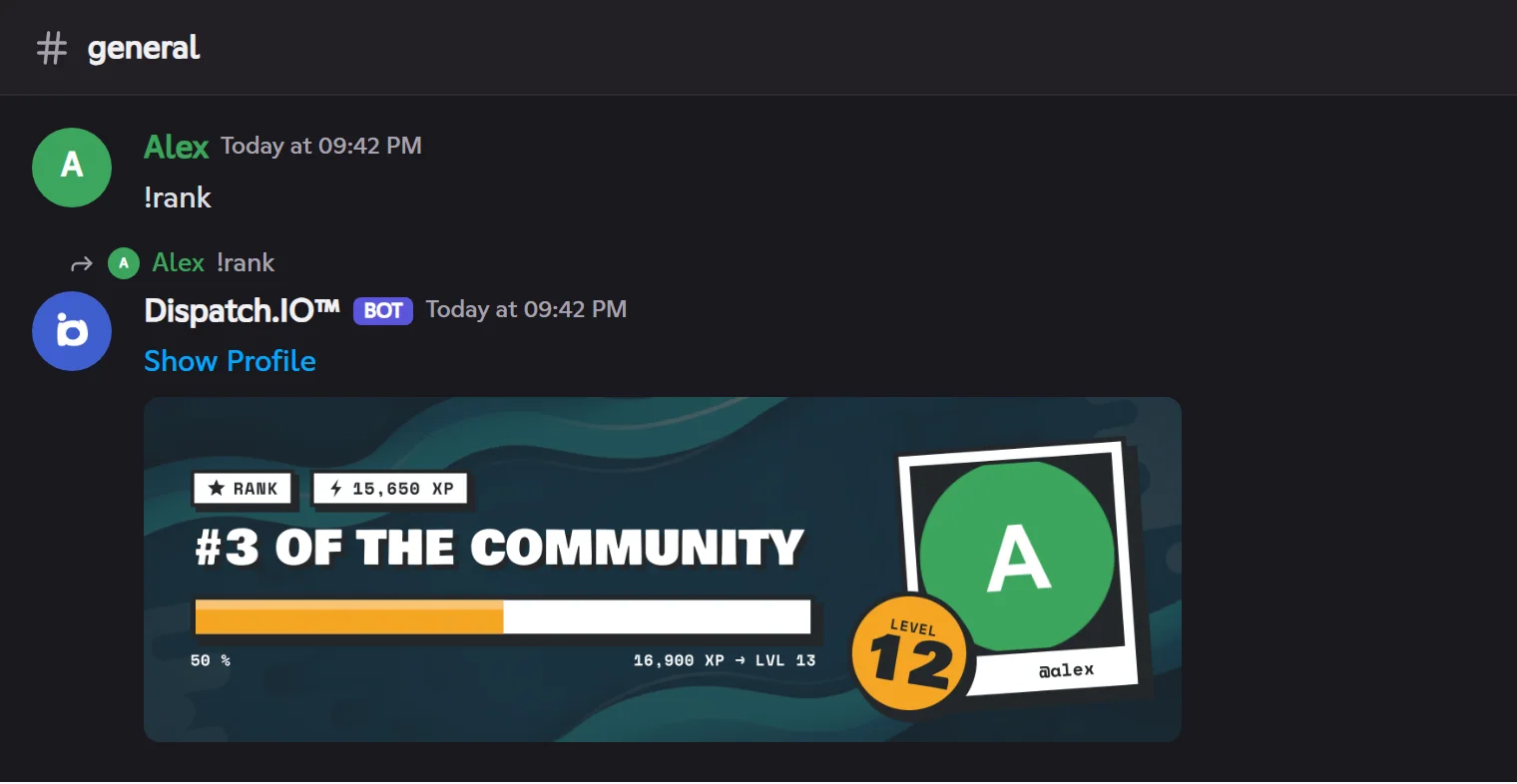
!rankShows a member's rank card: level, XP, progress towards the next level and leaderboard position.
Syntax
!rank [@member]Options
| Option | Type | Required | Description |
|---|---|---|---|
member | Member | No | The member to show (you by default). |
Member permission
None
Where to use it
Community only
Rate limit
5 s between two uses
Plan
Free
Examples
!rank!rank @Alex
Aliases: `!rang`, `!level`, `!niveau`. Under the card, links lead to the member's public profile and to the website's leaderboards.
Result on Fluxer
Viewing the leaderboard
!topThe community's level leaderboard, 10 members per page, with your position below.
Syntax
!top [page]Options
| Option | Type | Required | Description |
|---|---|---|---|
page | Number | No | The leaderboard page (1 by default). |
Member permission
None
Where to use it
Community only
Rate limit
5 s between two uses
Plan
Free
Examples
!top!top 2
Aliases: `!leaderboard`, `!classement`. The full leaderboard, with flames, is also on the website's public leaderboard page.
Note
On Discord, /top also offers leaderboards by flames and by server tag. On Fluxer, !top gives the level leaderboard; the other leaderboards are on the website (see Leaderboards and rank cards).
Editing a member's XP
!modify-xpAdds or removes text or voice XP from a member; their level is recomputed and their rank card shown.
Syntax
!modify-xp <@member> <message | voice> <amount>Options
| Option | Type | Required | Description |
|---|---|---|---|
member | Member | Yes | The member to edit. |
message or voice | Type | Yes | Message XP or voice XP. |
amount | Number | Yes | Positive to add (`500`, `+500`), negative to remove (`-200`). |
Member permission
Administrator
Where to use it
Community only
Rate limit
1 use every 10 s
Plan
Free
Examples
!modify-xp @Alex message +500
No level-up announcement is posted and reward roles don't change.
Resetting XP
!reset-levelsResets the level and XP of a member, or of the whole community.
Syntax
!reset-levels <@member | all>Options
| Option | Type | Required | Description |
|---|---|---|---|
member | Member | No | The member to reset. |
all | Keyword | No | The whole community (asks for a ✅ confirmation). |
Member permission
Administrator
Where to use it
Community only
Rate limit
1 use every 60 s
Plan
Free
Examples
!reset-levels @Alex!reset-levels all
Irreversible. Reward roles already given are not removed.
Viewing a flame
!streakShows a member's flame (their streak of active days), their record and remaining freezes.
Syntax
!streak [@member]Options
| Option | Type | Required | Description |
|---|---|---|---|
member | Member | No | The member to show (you by default). |
Member permission
None
Where to use it
Community only
Rate limit
1 use every 10 s
Plan
Free
Examples
!streak
Aliases: `!flamme`, `!flame`. Usable when flames are on.
Viewing achievements
!achievementsShows a member's achievement card: score, latest unlocked achievements and progress.
Syntax
!achievements [@member]Options
| Option | Type | Required | Description |
|---|---|---|---|
member | Member | No | The member to show (you by default). |
Member permission
None
Where to use it
Community only
Rate limit
1 use every 10 s
Plan
Free
Examples
!achievements @Lina
Aliases: `!succes`, `!succès`, `!achievement`. Usable when achievements are on.