
These commands liven up the community (polls, giveaways), promote it (bump) and manage an open ticket. On Fluxer, the settings of a poll or a giveaway are made in a website form (link sent by direct message), and message buttons are reactions (see Buttons, forms and replies on Fluxer).
| Command | What it is for | Fluxer permission required |
|---|---|---|
!poll | Create a poll | None |
!giveaway | Create a giveaway | Administrator |
!bump | Promote the community | None |
!ticket-manager | Manage the ticket you're in | Administrator or ticket responsible |
Creating a poll
!pollCreates a poll with 2 to 4 options, with a results picture updated on every vote.
Syntax
!poll [question]Options
| Option | Type | Required | Description |
|---|---|---|---|
question | Text | No | The question, already filled in the form. |
Member permission
None
Where to use it
Community only
Rate limit
1 use every 60 s
Plan
Free
Examples
!poll Which game on Friday?
Alias: `!sondage`.
Result on Fluxer
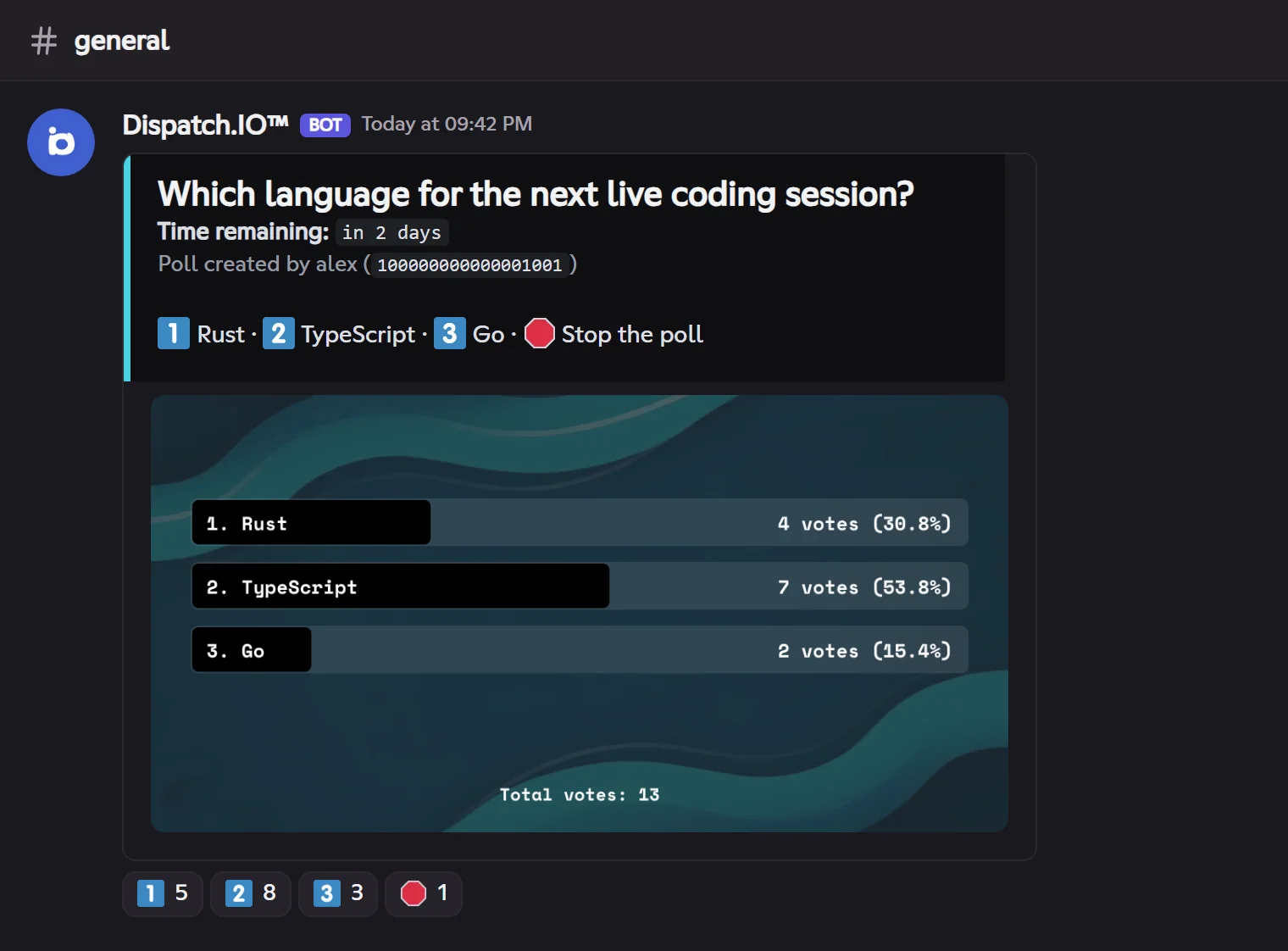
- Type
!poll: the bot DMs you the link to a form (question, 2 to 4 options, duration). - Submit: the poll is posted in the channel, with one reaction per option (1️⃣ to 4️⃣) and 🛑.
- Voting: click your option's reaction. A member has one vote: clicking another option moves your vote, removing your reaction removes your vote.
- Stopping: 🛑, by the poll's author or an administrator. Otherwise the poll ends on its own at the end of its duration (even if the bot restarted meanwhile) and shows the final results.
Each poll is logged in the Server logs channel (Poll log).
Creating a giveaway
!giveawayCreates a giveaway with an automatic draw at the end, and rewards the winners.
Syntax
!giveaway [title]Options
| Option | Type | Required | Description |
|---|---|---|---|
title | Text | No | The title, already filled in the form. |
Member permission
Administrator
Where to use it
Community only
Rate limit
1 use every 20 s
Plan
Free
Examples
!giveaway Monthly prize
Alias: `!concours`.
Result on Fluxer
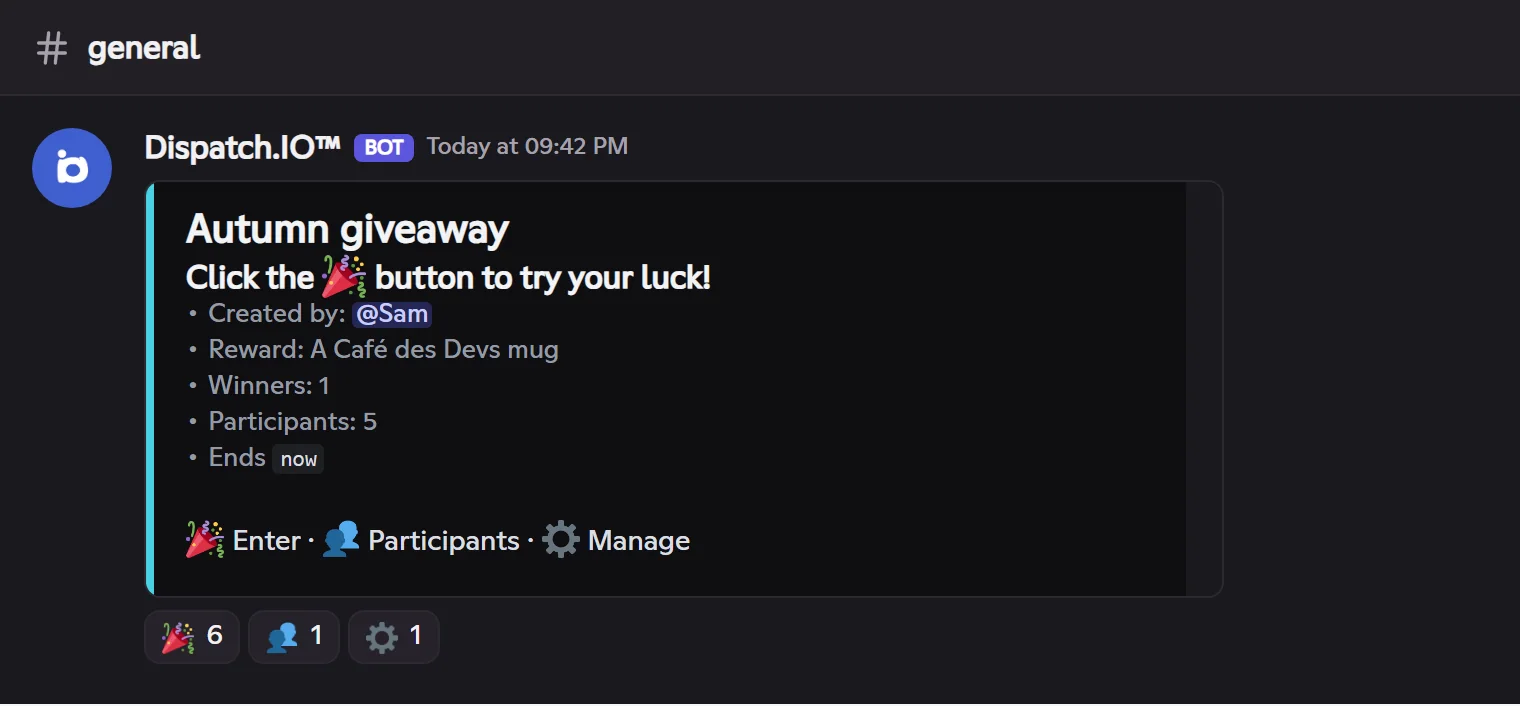
The website form takes every setting of the Discord panel:
| Field | Values |
|---|---|
| Title | Free text (what members win) |
| Duration | Combined units (1d 12h, 30m…), up to 31 days |
| Winners | From 1 to 50 |
| Reward | A role, XP (if levels are on) or a text (what the winners will get) |
| Channel | The channel to post the giveaway in |
| Allowed roles | Optional: only these roles can enter |
| Image | Optional: https address of an image |
An invalid answer (duration too long, unknown channel…) sends you a new pre-filled form, with the error.
Under the giveaway:
| Reaction | Effect |
|---|---|
| 🎉 | Enter. Remove your reaction to leave the giveaway. |
| 👥 | Get the participant list by direct message (with ◀️ ▶️ pages). |
| ⚙️ | Administrators: get the management panel by direct message, with 🏁 End (draw now), ⏹️ Stop without a winner and 🔁 Reroll (after the end). |
At the end, the bot draws the winners, edits the giveaway, congratulates the winners under the message, DMs them and gives them the reward (role or XP). A running giveaway resumes normally after a bot restart. Each giveaway is logged in the Server logs channel.
Promoting the community
!bumpShares your community's card in the bump channel of every community of the Dispatch.IO network.
Syntax
!bumpMember permission
None
Where to use it
Community only
Rate limit
20 s, then the community's bump cooldown
Plan
Free: 12 h · Basic: 9 h · Ultimate: 6 h
Examples
!bump
The reply ("Bump in progress…" then the result) and your command disappear after 5 seconds.
Result on Fluxer
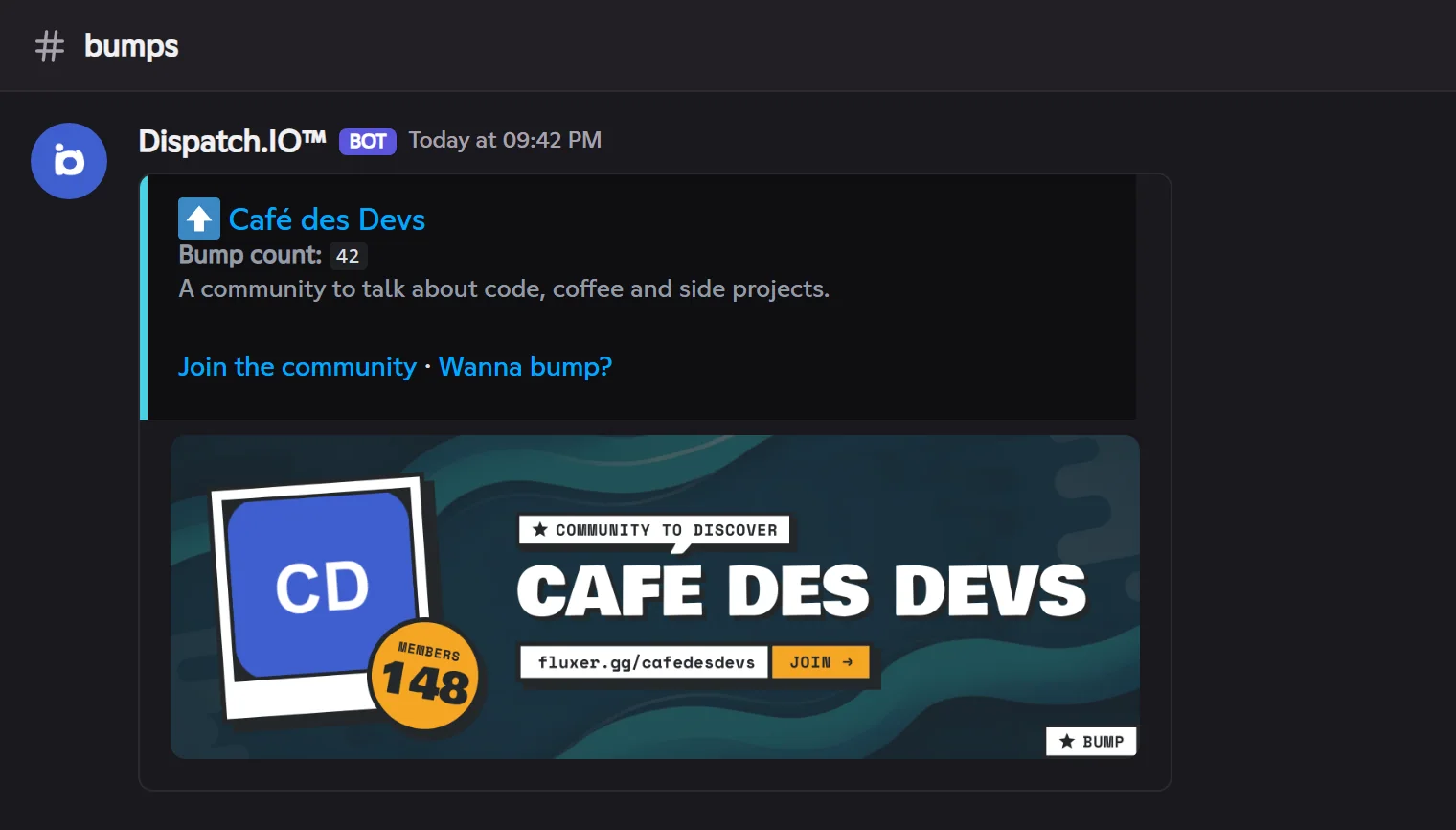
Bump must be on and set up on the dashboard (bump channel, permanent invite, description). The delay between two bumps depends on the community's plan. Everything is in Bump.
Managing a ticket
!ticket-managerManages the open ticket you're in: members and roles with access, name, panel, invites.
Syntax
!ticket-manager <add | remove> <@member | @role> | rename <name> | resend | invite <@member>Options
| Option | Type | Required | Description |
|---|---|---|---|
add / remove | Subcommand | No | Gives or removes a member's or a role's access to the ticket. |
rename <name> | Subcommand | No | Renames the ticket's channel. |
resend | Subcommand | No | Reposts the ticket's panel with its 🔒 🙋 👥 💾 🗑️ reactions. |
invite <@member> | Subcommand | No | Sends the member a direct message with the ticket's link. |
Member permission
Administrator, or being a ticket responsible
Where to use it
In an open ticket
Rate limit
3 uses every 10 s
Plan
Free
Examples
!ticket-manager add @Maëlle!ticket-manager rename refund-alex
The ticket's author can't be removed from it, nor can an administrator; a blacklisted account can't be added.
The rest of the ticket (close, claim, save, delete) is done with the panel's reactions: see Tickets.