
Dispatch.IO (Dispatch.IO™) is an all-in-one app for Fluxer communities: a bot you add to your community, and a website, fluxer.dispatchio.xyz, with a dashboard to set it up. Member welcome, moderation, anti-raid, tickets, levels, flames, notifications, music… everything goes through the same bot, with the same settings as the Discord version.
This page is for community owners and administrators discovering Dispatch.IO on Fluxer. It shows what the bot does, its modules and commands at a glance, then tells you where to go next.
Community or server?
On Fluxer, a "server" is called a community. This documentation says "community"; the website dashboard keeps the word server in its menus ("My servers", "Server setup"): it is the same thing.
What Dispatch.IO is
Dispatch.IO works in three ways in your community:
- It answers commands: Fluxer has no slash commands, so commands are typed with a prefix,
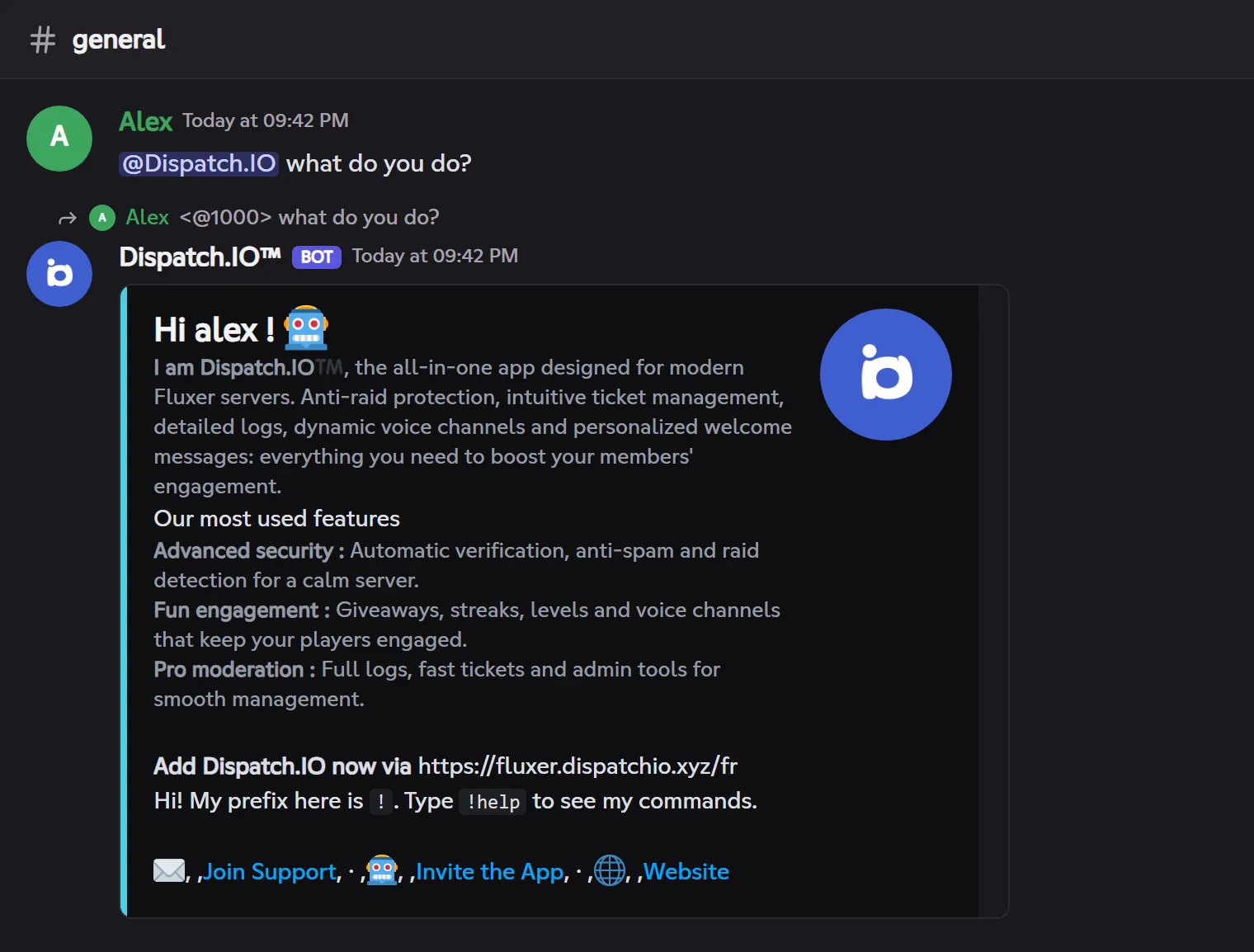
!by default (!help,!rank,!warn…). You can also mention the bot instead of the prefix:@Dispatch.IO help. - It posts automatic messages: a welcome card when a member joins, level-up announcements, new YouTube videos, logs of the community's changes…
- It watches the community when you turn on the anti-raid: spam, links, mention abuse, mass joins, captcha…
Everything is set up on the website dashboard; a few quick settings also exist as commands (!prefix, !raid-mode…).
The bot speaks French and English: its replies and public messages follow the community language, chosen on the dashboard.
When a member mentions the bot, it introduces itself, with the community's prefix:
What changes on Fluxer
Fluxer does not (yet) give bots Discord's buttons, select menus, input windows or "only you can see this" replies. Dispatch.IO keeps the same features anyway, in another way:
| On Discord | On Fluxer |
|---|---|
Slash command /rank | Command typed with the prefix: !rank |
| Button under a message | Reaction: the message shows a legend line ("🎉 Enter · 👥 Participants") and the bot adds the same emojis as reactions; click the emoji to "press" it |
| Input window (modal), select menu | Form on the website: the bot DMs you the link, you fill in the real form on fluxer.dispatchio.xyz |
| Reply only you can see | Reply deleted after 5 seconds (with your command), or sent by direct message when it is about you |
Everything is explained, with examples, in Buttons, forms and replies on Fluxer. The day Fluxer opens buttons to bots, Dispatch.IO will switch to real buttons without changing your settings.
For which communities?
Dispatch.IO fits a small group of friends as well as a large public community:
| Your need | What Dispatch.IO does | Learn more |
|---|---|---|
| Keep a community alive | Welcomes newcomers with a card and automatic roles, announces departures, promotes the community on the bump network. | Welcome and goodbye, Bump |
| Run a support desk | Ticket panels (🎫 reaction), private channels, staff claims, saved transcripts, live follow-up from the website. | Tickets |
| Moderate and protect | Warnings, timeouts, kicks and bans with history; anti-raid, captcha, honeypot, raid mode and detailed logs. | Moderation, Anti-raid and security, Logs |
| Motivate members | XP and levels, flames (daily activity streaks), achievements, giveaways, polls, suggestions, counting game, public leaderboards. | Levels and XP, Flames, Polls, giveaways and suggestions |
| Follow creators or websites | Announces new YouTube videos, Twitch streams and RSS articles. | Social networks and RSS |
| Liven up voice | Temporary voice channels created on demand, with their control panel as reactions; music and live radio. | Temporary channels, Music player |
| Flight simulation | UTC time, METAR and IVAO frequencies of an airport (pack to switch on). | Aviation |
Modules at a glance
A module is a feature of the bot that runs on its own once set up. No module posts anything until you configure it: the right-hand column says what to do to start it.
| Module | What it does | To start it |
|---|---|---|
| Welcome and goodbye | Card and message on arrival, automatic roles, goodbye message. | Pick the arrival channel (and the departure one). |
| Levels and XP | XP earned by chatting and in voice, level-up announcements, reward roles. | Turn on the level system (off by default). |
| Flames (streaks) | One flame per active day, streak announcements, freezes. | Turn on flames (off by default). |
| Achievements | Achievements to unlock by taking part, with their card. | Turn on achievements. |
| Tickets | A panel to open a private ticket with the staff. | Create a ticket system. |
| Anti-raid and security | Message filters, join protections, captcha, honeypot, raid mode. | Turn on the anti-raid, then each protection. |
| Temporary channels | Channels whose messages vanish after a delay, voice channels created on demand. | Add a channel. |
| Reactions and triggers | Reaction roles, role "buttons", automatic reactions to words. | Create a panel, or add a word. |
| Social networks and RSS | YouTube, Twitch and RSS announcements in a channel. | Add a channel or a feed. |
| Bump | !bump shares your community in the bump channel of the other communities of the network. | Turn on bump, pick a channel and a permanent invite. |
| Polls, giveaways and suggestions | Polls, giveaways, suggestion box and counting game. | !poll and !giveaway are ready; suggestions and counting need a channel. |
| Logs | Tracks edited or deleted messages, joins, sanctions, community changes… | Pick a channel for each log category. |
| Music player | Music and radio in a voice channel, with a reaction-driven player. | Nothing: join a voice channel and type !play. |
Music on Fluxer
The music player has the same features as on Discord, with reactions instead of buttons. The one notable difference: Spotify, Deezer and Apple Music links aren't supported on Fluxer; search for the track by name. See Music player.
Limits that depend on the community's plan are listed in Premium plans and limits. Messages the bot sends on its own, without a command, are described in Fluxer events and Scheduled tasks.
Commands
Commands are grouped by topic. !help shows them all with their syntax; !help <command> details one command.
| Topic | Examples | Page |
|---|---|---|
| General | !help, !ping, !prefix, !info, !profil, !premium, !report | General commands |
| Moderation | !warn, !timeout, !kick, !ban, !infractions | Moderation |
| Community management | !clear, !nuke, !raid-mode, !role-all, !toggle-lock, !emoji | Community management |
| Messages and announcements | !say, !create-embed, !create-container, !create-banner | Messages and announcements |
| Levels and leaderboards | !rank, !top, !modify-xp, !reset-levels | Levels and leaderboards |
| Community | !poll, !giveaway, !bump, !ticket-manager | Community |
| Music and radio | !play, !play-radio, !queue, !stop | Music and radio |
| Aviation | !zulu, !metar, !frequencies | Aviation |
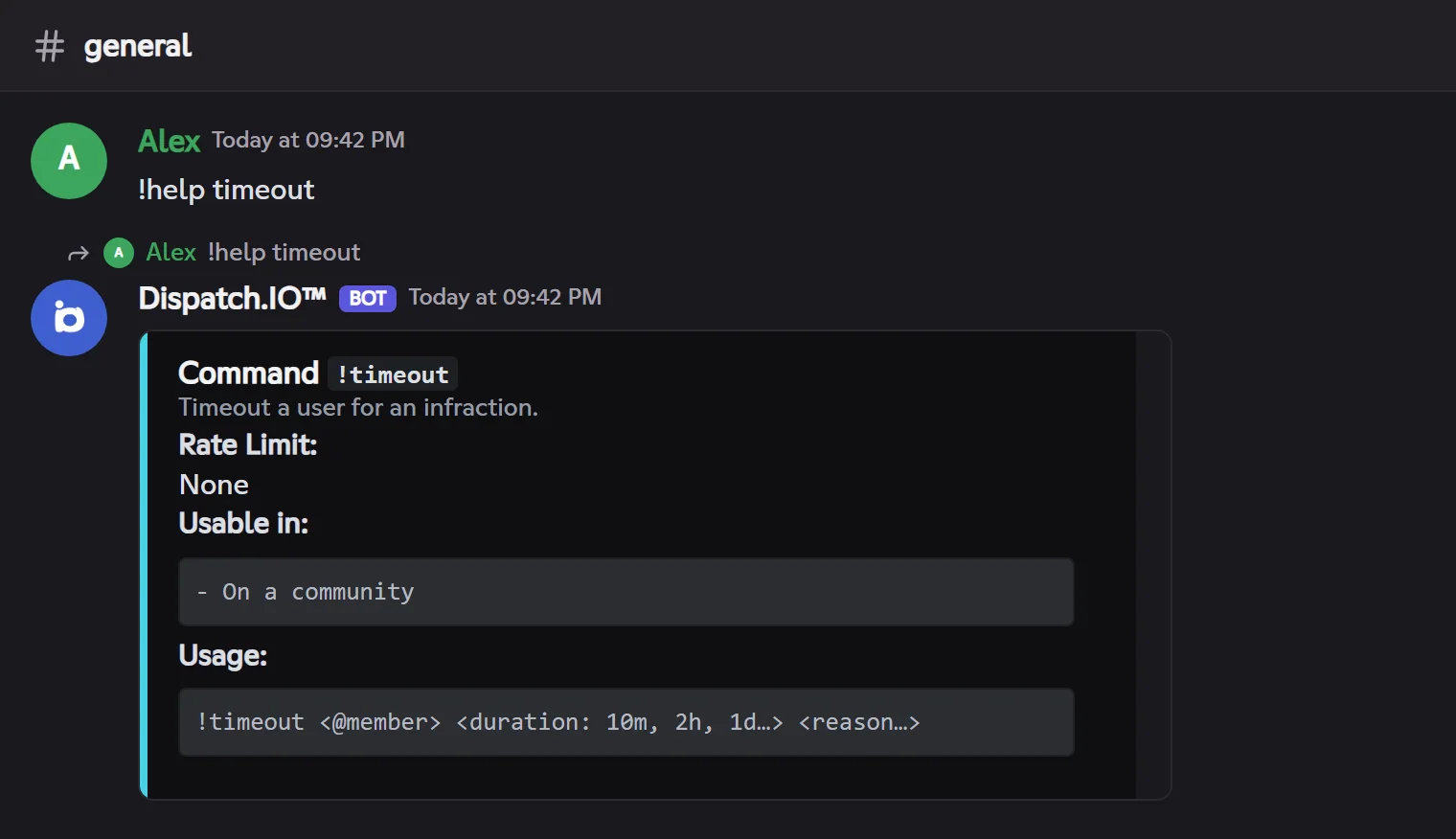
The full list, with who can use each command and its usage limits, is on All commands.
The dashboard
The bot is set up on the dashboard of fluxer.dispatchio.xyz, signed in with your Fluxer account:
The dashboard is open to the community owner and to members with Administrator or Manage community. The !config command gives the direct link to your community's page.
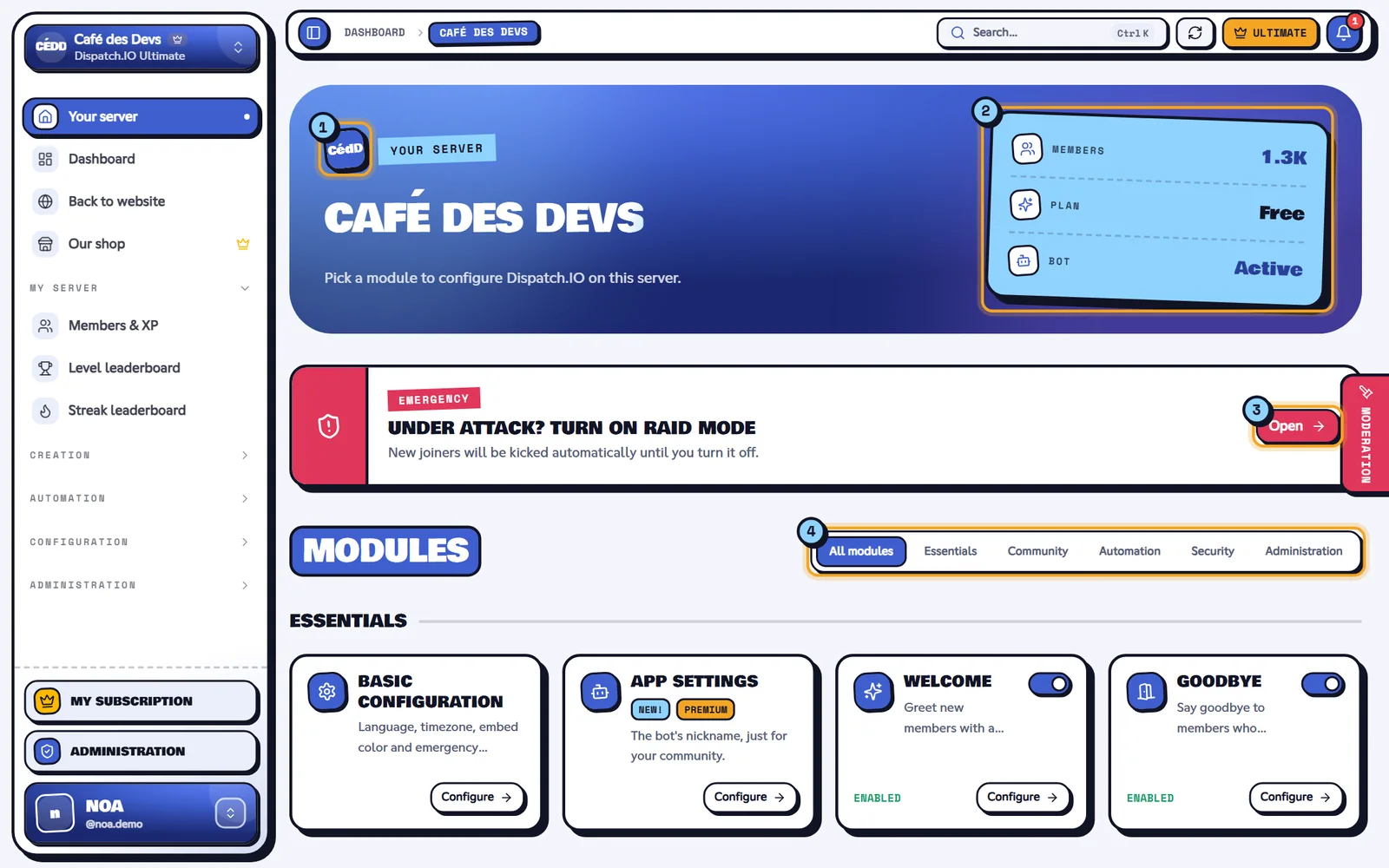
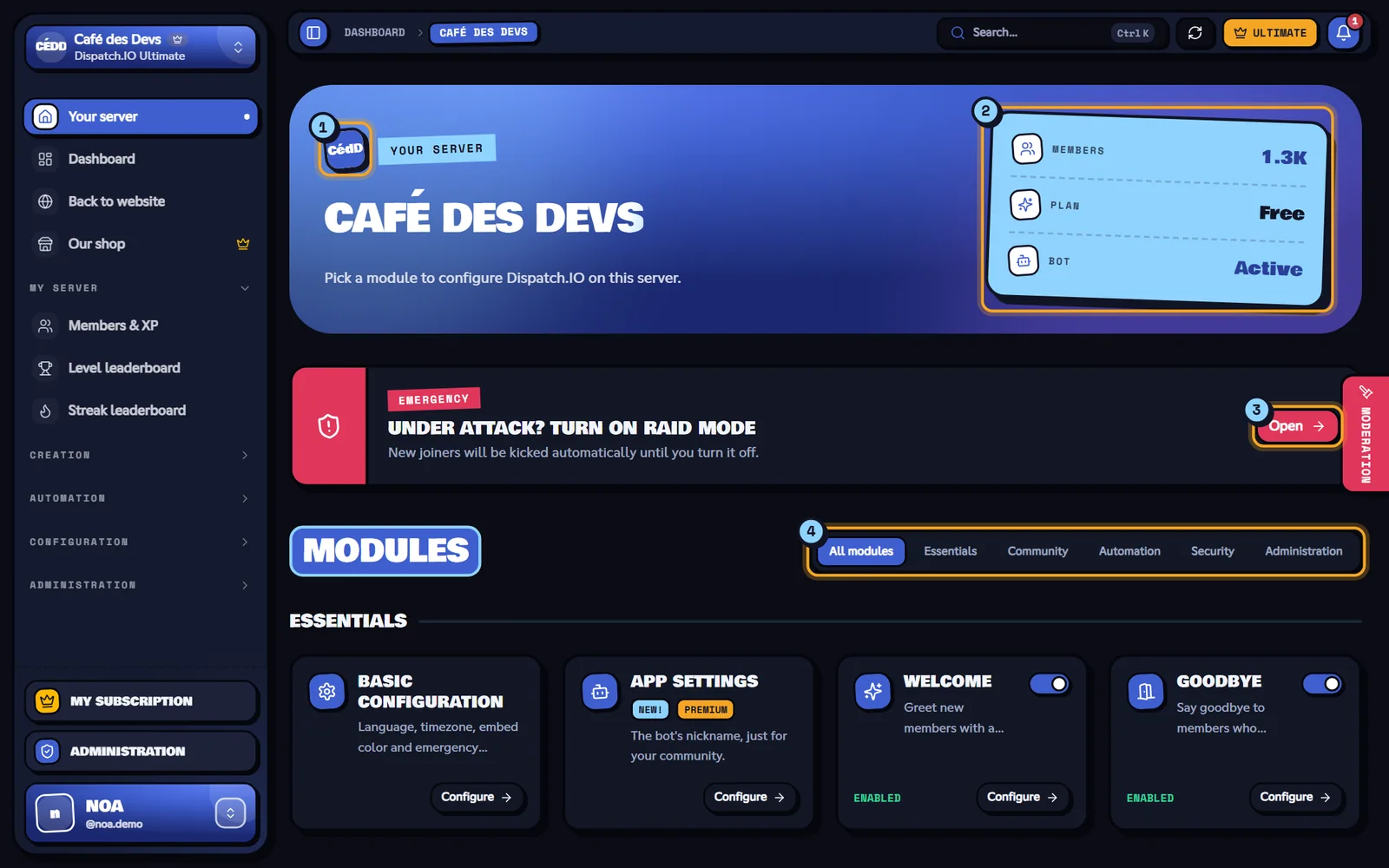
Each setting is detailed in Bot configuration, and the website tour in Website overview.
Free or Premium?
All Dispatch.IO modules and commands are free. The Dispatch.IO Basic and Dispatch.IO Ultimate community plans raise the quotas (more ticket systems, role panels, word reactions, voice hubs and followed YouTube or Twitch channels, a more frequent !bump) and unlock a few extras like emergency alerts by direct message or flame rewards. The Individual plans are about your account: your own images on your cards, an accent color, more flame freezes and the dashboard music player, in every community. The !premium command shows the community's plan and yours.
Fluxer accounts and subscriptions are separate from Discord ones: a subscription bought on dispatchio.xyz does not apply on Fluxer, and vice versa. All the details are on Premium plans and limits.
Where to go next
- Add the bot and first steps: invite Dispatch.IO and get it ready in a few minutes.
- Buttons, forms and replies on Fluxer: how to "click" a bot message.
- Bot configuration: the prefix, the language and every dashboard page.
- Permissions and roles: what the bot needs, and who can use what.
- All commands: the full list.
- A problem? The bot FAQ and the Troubleshooting page.